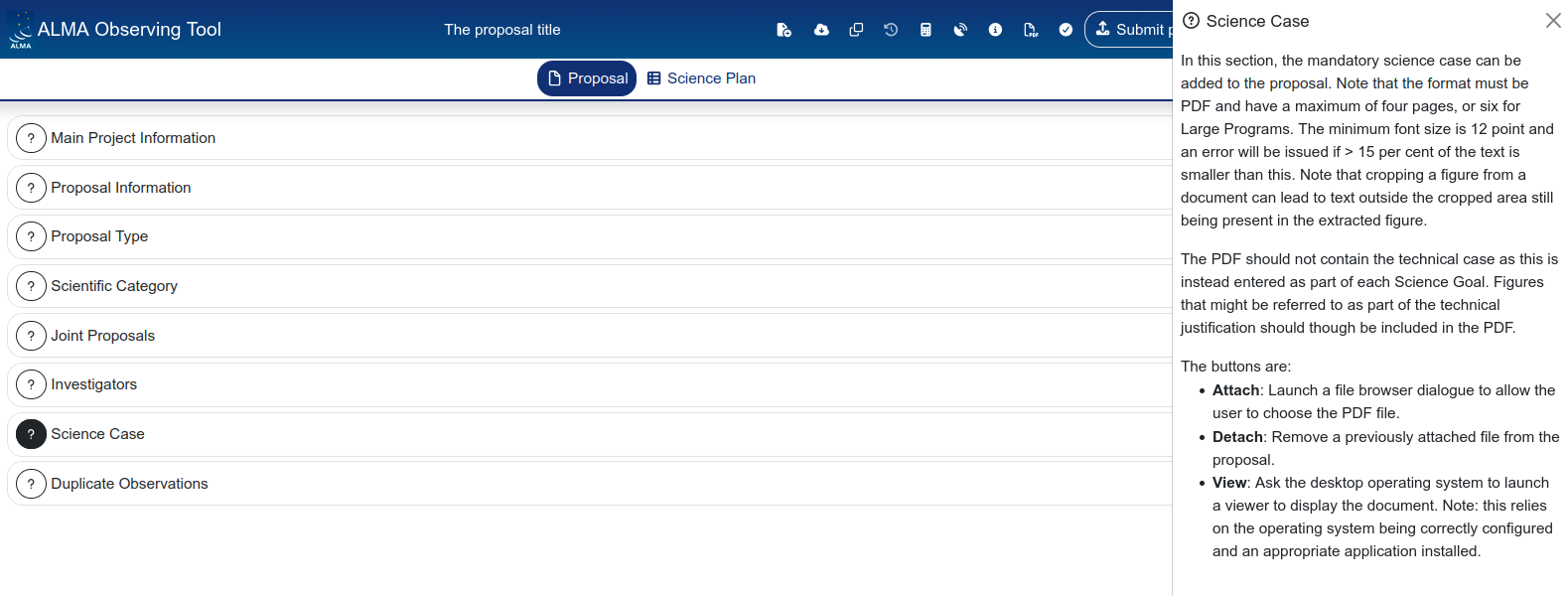
The Proposal section
The Proposal tab contains the general metadata of your proposal: who is proposing, what kind of proposal it is, and the high-level science description. None of the technical observing setup lives here — that is all under the Science Plan tab.
The Proposal tab is organized as a series of collapsible panels. Let’s go through each one.
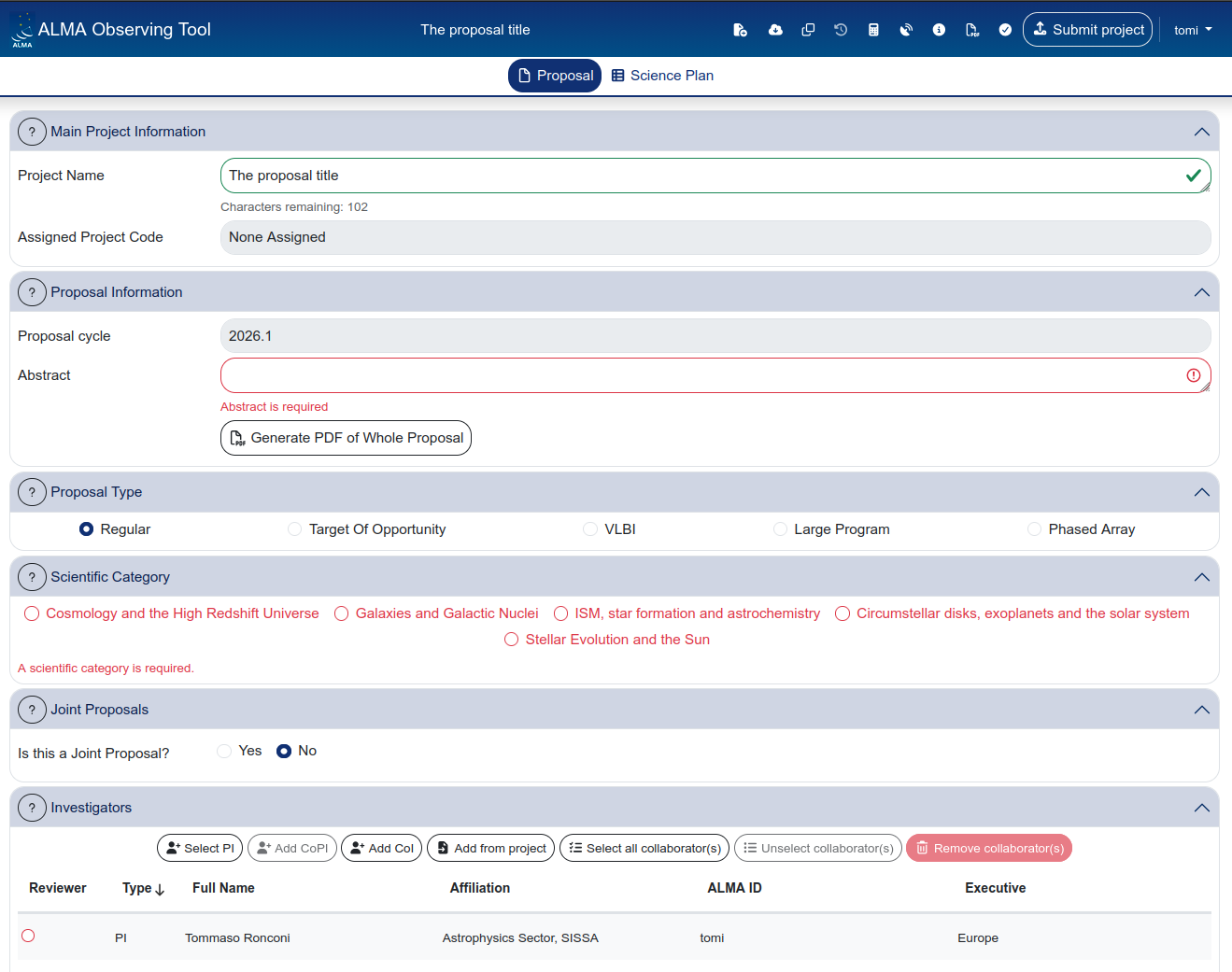
Main Project Information
This panel contains two fields:
- Project Name — a short, descriptive title for your proposal. This is a required field.
- Assigned Project Code — automatically assigned by the system. It will show “None Assigned” until the proposal is submitted.

When a proposal has been submitted, the assigned project code remains the same for any following re-submission: if you submit a version of the same proposal from a previously unsubmitted version (i.e. without the project code assigned), a new project code will be assigned and the system will check against duplications discarding one of them: in such cases write a helpdesk ticket to request the removal of one of the copies before the deadline
Proposal Information
This panel shows:
- Proposal cycle — pre-filled and not editable (e.g. 2026.1).
- Abstract — a free-text field for the proposal abstract (max 1200 characters). This is a required field.
- Generate PDF of Whole Proposal — a button that generates a PDF preview of the entire proposal, including all science goals and technical justification.

Proposal Type
Select the type of proposal you are submitting. The available options are:
- Regular (default)
- Target of Opportunity
- VLBI
- Large Program
- Phased Array

Unless you have a specific reason to choose otherwise, leave this as “Regular”. The other proposal types have additional requirements and constraints that are documented in the ALMA Proposer’s Guide.
Scientific Category
Select the scientific category that best describes your proposal (i.e. only one). The categories are:
- Cosmology and the High Redshift Universe
- Galaxies and Galactic Nuclei
- ISM, star formation and astrochemistry
- Circumstellar disks, exoplanets and the solar system
- Stellar Evolution and the Sun

When the scientific category has been chosen, a menu opens from where one or more keywords better describing your proposal focus.
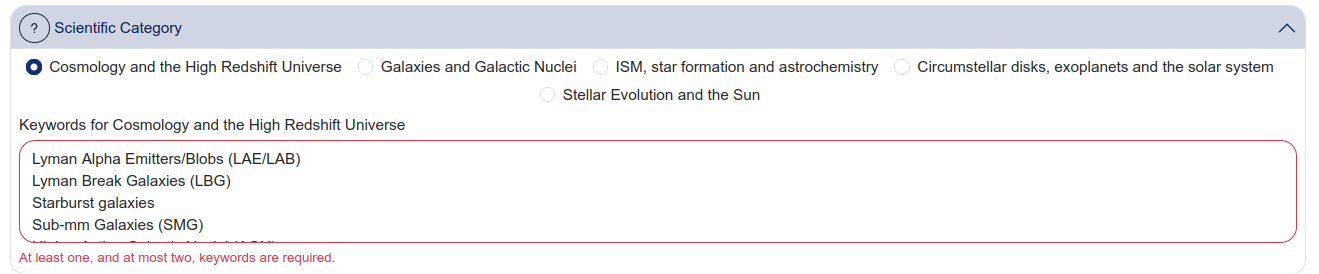
These are both required fields. The scientific category and keywords are used by the review panel assignment process.
Joint Proposals
If your proposal requires coordinated observations with another observatory (e.g. JWST, VLA, VLT), select “Yes” and specify the details: specific rules and requirements apply to different observatories. For most proposals, this is set to “No”.

Investigators
This panel manages the list of people involved in the proposal.
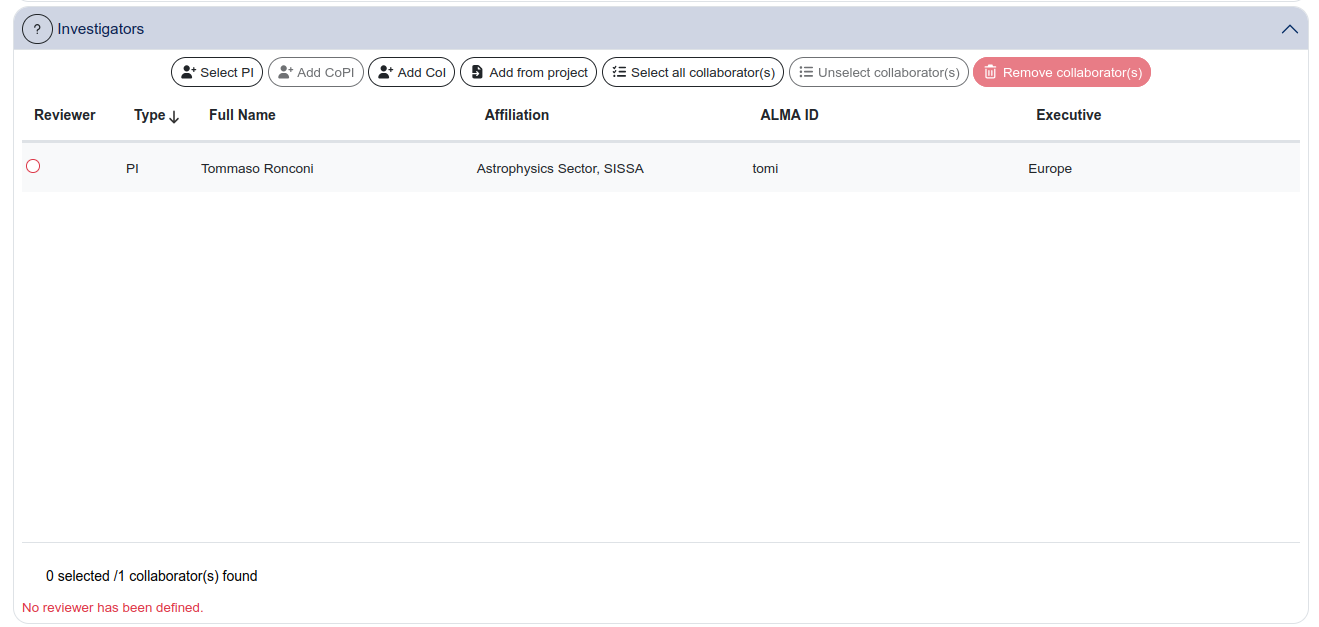
By default, the person who creates the proposal is set as PI. You can change the PI using the “Select PI” button — if you do, the previous PI is automatically added as a Co-I.
Other investigators are added using:
- Add CoPI — adds a Co-Principal Investigator
- Add CoI — adds a Co-Investigator
- Add from project — imports investigators from another proposal you have access to
A couple of things to keep in mind:
- all the CoI and CoPI must be registered in the ALMA science portal (it is better to cover the registration in advance to avoid last-minute inconveniences).
- at least one of the members should opt-in as reviewer (tick on the relative button): in case the selected reviewer does not have the PhD one of the PhD-graded collaborators must act as mentor. A person can be selected as reviewer on at most 3 proposals. PIs remain responsible for the submission of the reviews associated with their proposal: if the review deadline is missed the proposal is discarded.
All investigators listed on the proposal (PI, CoPI, CoI) have access to the proposal in the staging area and can edit it. Since autosaving is always active, this means any investigator can modify the proposal at any time.
Coordinate with your collaborators to avoid simultaneous editing. There is no locking mechanism and no conflict resolution — the last save wins.
Science Case
This panel provides a text field where you describe the scientific justification for your proposal. This is the main body of the proposal text that reviewers will read.

The Science Case text field supports basic formatting. Depending on the cycle, there may be a character limit and/or a font-size limit — check the current ALMA Proposer’s Guide for the exact constraints.
The system will check whether the limits have been respected: do not cheat, the system knows.
Duplicate Observations
This panel asks whether your targets have been observed by ALMA before, or whether there are other proposals accepted in previous cycles (check the ALMA Duplications page). If there are duplicates, you are expected to explain why your proposal is still justified (e.g. different angular resolution, different frequency, different sensitivity).

This is a required field and reviewers pay attention to it. Failing to acknowledge known duplicates can negatively affect your proposal’s evaluation.
Helper side-window
Note that, by clicking on the question mark at the left-hand side of each Sections’ title, a short manual page opens to the right of the page. Providing further help on how to complete the selected Section.